
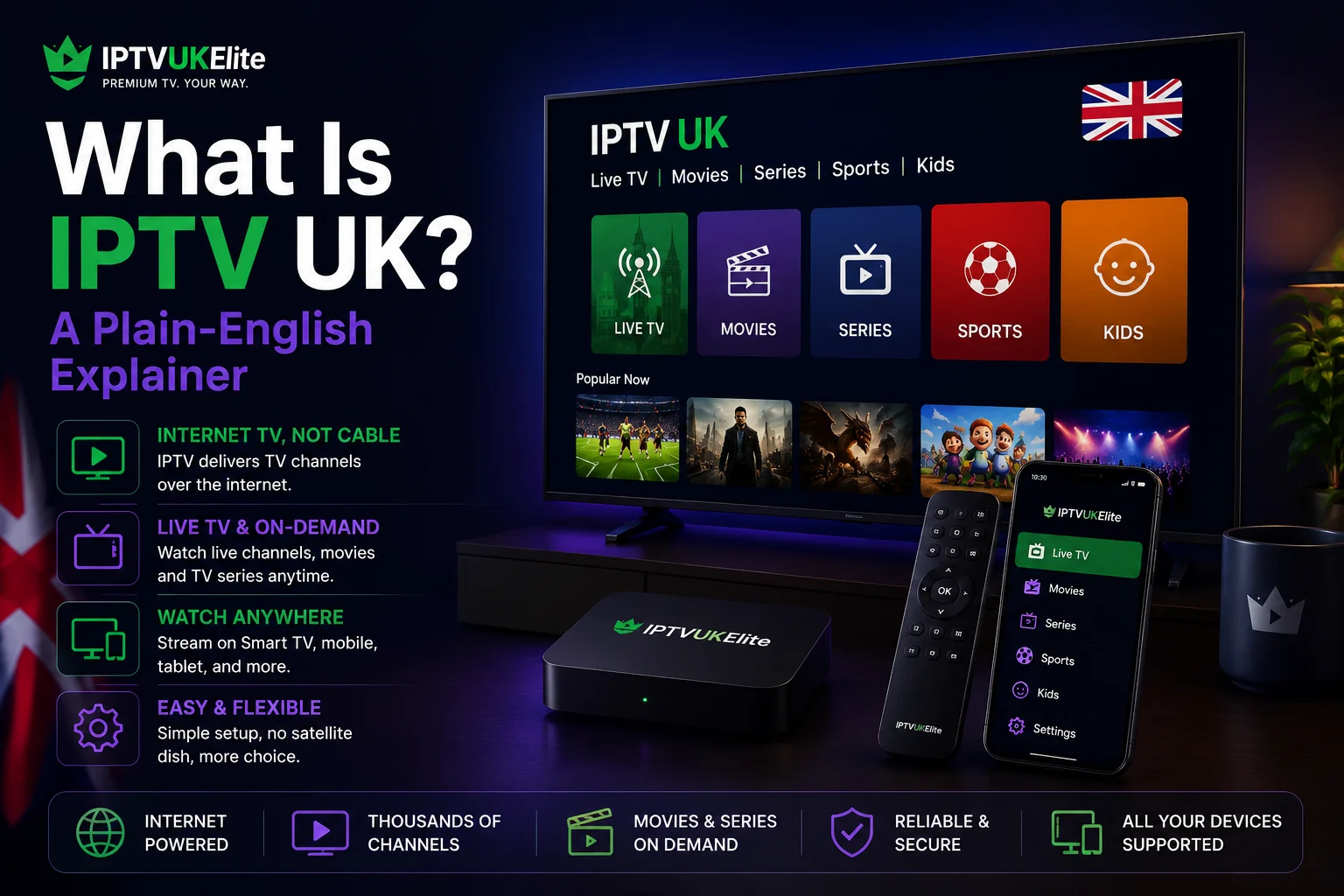
Key Takeaways
- IPTV UK means watching live TV, sport and on-demand content over your internet connection instead of satellite, aerial or cable.
- IPTV UK works the same way as BBC iPlayer or Netflix — it streams, rather than broadcasts, the channels to your device.
- You need a device (Firestick, Smart TV, phone, etc.), a decent broadband connection and login details from an IPTV UK provider — nothing else.
- A legitimate IPTV UK service is legal; the delivery method is simply a technology, not the thing that makes a service lawful or not.
- IPTV UK typically costs a fraction of Sky or Virgin Media, with no satellite dish, no engineer visit and no fixed contract.
"IPTV UK" gets thrown around a lot — in Facebook groups, on Reddit, in adverts promising thousands of channels for a few pounds a month — but very few explanations actually stop to say what it is. This guide does exactly that: a straightforward, jargon-free explanation of what IPTV UK means, how IPTV UK works under the hood, and what you'd actually need to get started, before you spend a penny.
What Does "IPTV UK" Actually Mean?
IPTV stands for Internet Protocol Television. Put simply, IPTV UK is a way of watching UK television — live channels, sport, movies and box sets — by streaming it over the internet, rather than receiving it through a satellite dish, rooftop aerial or a cable box plugged into a phone line.
Traditional UK TV (Sky, Freeview, Virgin Media) sends every channel down a physical signal — satellite, airwaves or cable — to every subscriber at once, whether they're watching or not. IPTV UK flips that around: a provider's servers hold the channel feeds, and your device requests and receives only the stream you're actually watching, over your existing broadband connection. That one difference is what makes IPTV UK cheaper, more flexible and usable on almost any device you already own.
How Does IPTV UK Actually Work?
Under the hood, an IPTV UK service has three moving parts:
- The provider's servers. These receive live TV channel feeds and convert them into a format that can be streamed over the internet, along with an electronic programme guide (EPG) so you can see what's on.
- A player app on your device. Apps like IPTV Smarters Pro, TiviMate or GSE Smart IPTV run on your Firestick, Smart TV, phone or computer and connect to the provider's servers.
- Your login credentials. When you subscribe to an IPTV UK provider, you receive a username, password and server address (or a single M3U playlist link) that tells the app exactly where to pull your channels from.
Open the app, enter those details once, and the channel list and TV guide load automatically — from then on, watching IPTV UK looks and feels exactly like using any other streaming app.
What Do You Need to Use IPTV UK?
Getting started with IPTV UK is simpler than most people expect. You need:
- A device. A Firestick, Android box, Samsung or LG Smart TV, iPhone, Apple TV or even a laptop — anything that can install an app or open a browser. See our full IPTV UK setup guide for step-by-step instructions per device.
- A broadband connection. Around 15-25Mbps is enough for smooth HD and 4K streaming without buffering.
- An IPTV UK subscription. This is what actually provides the channels — the device and app are just the window you watch them through.
Notice what's not on that list: no satellite dish, no rooftop aerial, no engineer visit, and no 18-month contract.
See IPTV UK in action first
Try IPTVUKElite's IPTV UK service with a free 24-hour trial — no card required, cancel anytime.
Start Your Free TrialIs IPTV UK Legal?
Yes — using a legitimate IPTV UK service is legal. It's worth separating the technology from how it's sometimes used: IPTV is simply a delivery method, the same one BBC iPlayer, ITVX and Netflix use to stream content to your device. A service is lawful or not based on how it sources its content and operates, not because it happens to use internet streaming instead of satellite. We cover this in full detail, including how to spot a legitimate provider, in our guide to whether IPTV is legal in the UK.
IPTV UK vs Sky, Virgin Media and Freeview
Here's how IPTV UK stacks up against the traditional ways of getting TV in Britain:
| Feature | IPTV UK | Sky | Virgin Media |
|---|---|---|---|
| Delivery method | Internet streaming | Satellite dish | Cable |
| Installation needed | ✅ None — just an app | ❌ Dish + engineer | ❌ Cable + engineer |
| Fixed-term contract | ✅ No contract | ❌ Usually 18 months | ❌ Usually 18 months |
| Typical monthly cost | From £4/mo | £30-£75/mo | £35-£80/mo |
| Works on devices you own | ✅ Firestick, phone, Smart TV | ⚠️ Sky box only | ⚠️ Virgin box only |
None of that means IPTV UK is "better" in every sense — it depends entirely on the quality of the provider behind it, which is exactly why picking a reliable one matters more than anything else. Our guide on how to choose an IPTV UK provider covers what actually separates a good service from a bad one.
How to Get Started With IPTV UK
- Pick a device. Most people already own something that works — a phone, a Smart TV or a Firestick.
- Choose an IPTV UK provider. Look for UK-based servers, a zero-buffering guarantee, and a free trial you can test before paying.
- Install a player app. Follow our IPTV UK setup guide for your specific device.
- Log in and watch. Enter your credentials once, and the channel list and TV guide load automatically.
If you'd rather see it working before deciding anything, IPTVUKElite's free 24-hour IPTV UK trial needs no card and takes about two minutes to set up.
The Verdict
IPTV UK isn't complicated once someone actually explains it: it's live TV and on-demand content delivered over your internet connection instead of a satellite dish or cable box, using the same basic technology as apps you already use every day. The part that actually matters — whether it works reliably on match day — comes down entirely to the provider you choose, not the technology itself.
Frequently Asked Questions
What is IPTV UK?
IPTV UK stands for Internet Protocol Television in the United Kingdom — a way of watching live TV channels, sport and on-demand content by streaming them over your internet connection instead of receiving them via satellite dish, aerial or cable box.
How does IPTV UK actually work?
An IPTV UK provider runs servers that receive TV channel feeds and re-broadcast them as internet streams. You install a player app, log in with credentials from your provider, and the app pulls the channel list and TV guide over your broadband connection — no satellite dish or aerial required.
What do I need to use IPTV UK?
You need a device that can run a player app (a Firestick, Smart TV, Android box, phone or computer), a broadband connection of at least 15-25Mbps for smooth HD and 4K, and login credentials from an IPTV UK subscription.
Is IPTV UK legal?
Using a legitimate IPTV UK service that operates through proper infrastructure is legal. The technology itself is simply a delivery method — the same one the BBC iPlayer and Netflix use. Our full guide to whether IPTV is legal in the UK covers this in detail.
How is IPTV UK different from Sky or Virgin Media?
Sky and Virgin Media deliver channels via satellite dish or cable box tied to your address, usually on a fixed contract. IPTV UK delivers the same kind of channels over the internet instead, works on devices you likely already own, and typically costs a fraction of the price with no fixed-term contract.
Do I need a satellite dish or aerial for IPTV UK?
No. IPTV UK works entirely over your existing broadband connection, so no satellite dish, rooftop aerial or engineer installation is needed. If your internet works, IPTV UK works.
How much does IPTV UK cost?
IPTVUKElite's IPTV UK subscription starts from £4 per month on the 12-month plan (£49 total), covering 34,000+ live channels, 200,000+ films and series, and a free 24-hour trial with no card required.
Ready to try IPTV UK for yourself?
34,000+ live channels, 200,000+ movies and series, zero buffering — 12 months of IPTV UK for £4/mo, with a free 24-hour trial.
Claim Your Best Deal — 58% Off